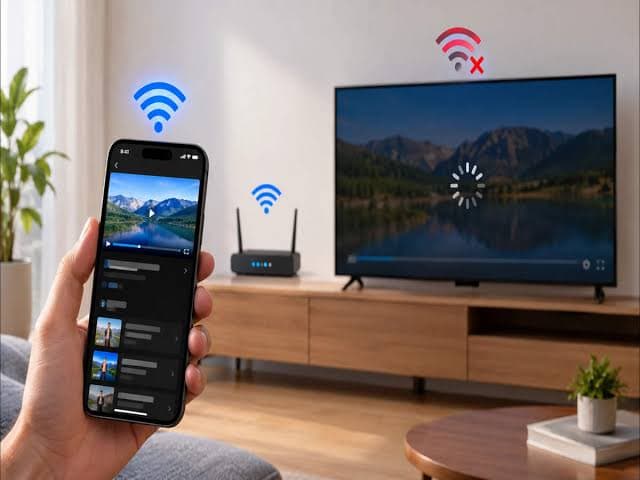
Experiencing buffering or slow internet at home? A report from Engadget explains why too many devices can overwhelm your Wi-Fi network and offers practical steps to boost your speeds without immediately buying new gear.
Our home Wi-Fi networks are often the unsung heroes of our digital lives, but a recent report from Engadget highlights a common problem: they can get easily overburdened. If you've been seeing that dreaded buffering circle, experiencing lag during online gaming, or waiting ages for downloads, too many devices vying for bandwidth on your home network could be the culprit. It doesn't take much, as even a single high-end smartphone can consume a significant amount of bandwidth.
Engadget points to two main limitations that impact your internet experience. The first is the actual internet connection coming into your home from your Internet Service Provider (ISP). The second, and often overlooked, is the Wi-Fi signal quality between your router and your devices. It's important to understand that upgrading to a faster internet plan won't magically fix a weak Wi-Fi signal if your router is tucked away in a corner. Conversely, a fancy, faster router can't do much if your ISP plan itself is slow.
The knee-jerk reaction for many of us is to immediately replace the router or call the ISP for a speed upgrade. While a Wi-Fi 6 or Wi-Fi 7 router and a faster internet plan can help, it's not always feasible, nor is it always the first step. The good news is, you might not need to spend money right away, provided you're willing to do a little planning.
There isn't a simple rule like "100 Mbps supports X devices," but you can estimate your needs. For instance, Netflix suggests at least 15 Mbps for each 4K stream. If you have three people streaming 4K simultaneously, that's roughly 45 Mbps right there, before accounting for other devices like smart home gadgets. Engadget explains that if 10 devices are all consuming 10 Mbps at the same time, you'd need a 100 Mbps download speed just to keep up, leaving no room for fluctuations. This kind of math exercise can be really helpful for managing your home network.
Don't forget upload speeds, which are crucial for things like video calls, uploading large files, or security cameras sending footage. Most ISPs offer asymmetrical broadband, meaning download speeds are significantly faster than uploads. Understanding your current speeds and device consumption allows you to schedule bandwidth-heavy tasks, like big game downloads, for off-peak hours.
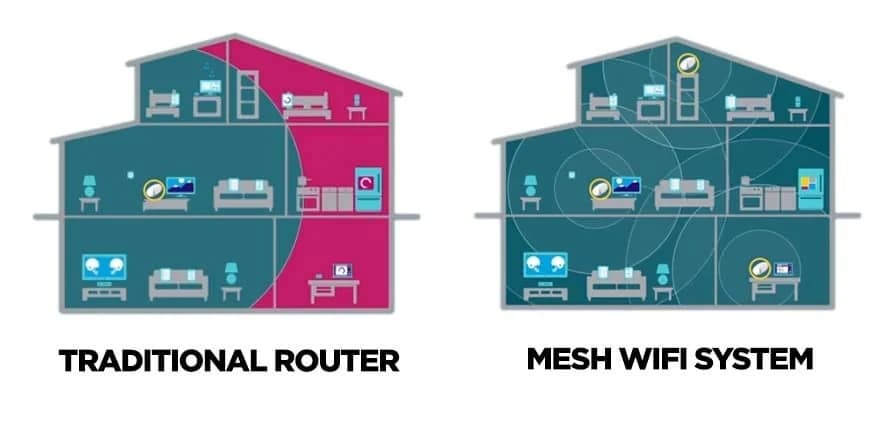
For most households, a single, well-placed router is perfectly adequate. If you are struggling with coverage in a larger home, a mesh Wi-Fi system or strategically placed access points can often solve the problem. An additional router only makes sense in very specific scenarios, for example, if your ISP's gateway has to be installed in an awkward far corner of your home. In such cases, running an Ethernet cable from the gateway to a centrally located router can make a big difference.
Your best approach is to start with your existing setup and make incremental changes as needed. One smart move is to connect stationary devices like PCs, gaming consoles, and smart TVs directly to your router via Ethernet cables. This frees up Wi-Fi bandwidth for mobile devices that truly need it, even though they'll still share your overall internet connection. A router upgrade becomes a worthwhile consideration if your current one struggles to efficiently manage many devices, but remember it can't overcome the underlying speed limits of your ISP plan.
If you do opt for a mesh system to work alongside your ISP gateway, make sure to follow the setup instructions carefully. Leaving both devices in their default routing modes can create something called "double NAT," which might cause issues, especially with online gaming or port forwarding. It doesn't have to be overly complicated; the key is identifying what's bottlenecking your system. Crunch those numbers first, then decide on the best course of action. You've got this.