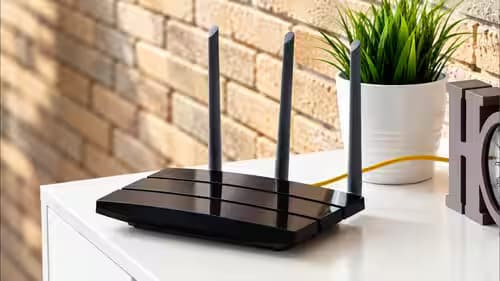
Many Indian homes face slower Wi-Fi speeds as more devices connect. This isn't just about internet speed, but internal network limitations and band congestion, as Engadget explains.
If your home Wi-Fi feels like it is struggling when multiple devices are online, you are not alone. As homes in India connect more gadgets, from smart speakers to wearables, the network faces increasing demands that can lead to frustrating slowdowns. Engadget recently broke down the actual reasons behind this common problem, and it is more complex than just your internet plan.
It's Not Just Your Internet Speed, It's Bandwidth
Many assume slower Wi-Fi is purely an internet speed issue, but your router has an internal bandwidth cap. Engadget explains that Wi-Fi 6 and 6E routers typically max out at 9.6Gbps, while the newer Wi-Fi 7 pushes this ceiling to 46Gbps. Crucially, this total bandwidth is shared for all traffic, not just what goes to and from the internet. It includes local transfers between devices, like moving large video files from a camera to a laptop. If several devices are active at once, this shared capacity can quickly get strained, even if your internet plan is well below these limits.
The Problem of Band Congestion
Beyond total bandwidth, there is the issue of band congestion. Most Wi-Fi routers operate on different frequency bands. Wi-Fi 6 uses 2.4GHz and 5GHz, while Wi-Fi 6E and Wi-Fi 7 add a 6GHz option. Each band has a limited number of channels. The 2.4GHz band is particularly prone to congestion, having only three non-overlapping channels. Many low-power smart home accessories, common in Indian households, often only support 2.4GHz, making this band easy to overwhelm. When a band fills up, devices can experience delays or get shunted to another band, provided both the device and router support it.
The Invisible Limit on Simultaneous Connections
Engadget highlights that all routers have an invisible limit on how many devices can be actively connected at once. This is a significant point for older setups. If you are still using a Wi-Fi 5 router, it might only handle as few as 10 to 25 active devices. Once this limit is reached, the router starts booting older connections to make room for new ones. Considering the number of smartphones, laptops, smart TVs, and IoT gadgets in a modern Indian home, an older Wi-Fi 5 router is likely to be a major bottleneck.
What Indian Users Can Do About It
Upgrading to a Wi-Fi 7 router could help boost overall capacity, but it is not a magic fix. For Wi-Fi 7 features, like 'preamble puncturing' which helps in noisy environments, both your router and connected devices need to support the standard. Chances are, many of your current devices are still on Wi-Fi 6 or 6E.
A more immediate step, if your router allows for separate band logins, is to steer as many devices as possible to the 5GHz or 6GHz bands. While these bands have a shorter range than 2.4GHz, they offer less congestion and faster speeds for compatible devices. This can significantly improve performance for high-bandwidth activities like streaming and gaming.
For those with mesh routers, where separate band logins might not be an option, Engadget suggests using your router's app controls to temporarily pause unnecessary devices when a crucial upload or download is in progress. Long-term, consider migrating smart home accessories, especially light bulbs, to hub-based setups using protocols like Thread or Zigbee. These hubs connect dozens of devices while only using a single Wi-Fi connection for the hub itself, dramatically freeing up your router's channels.