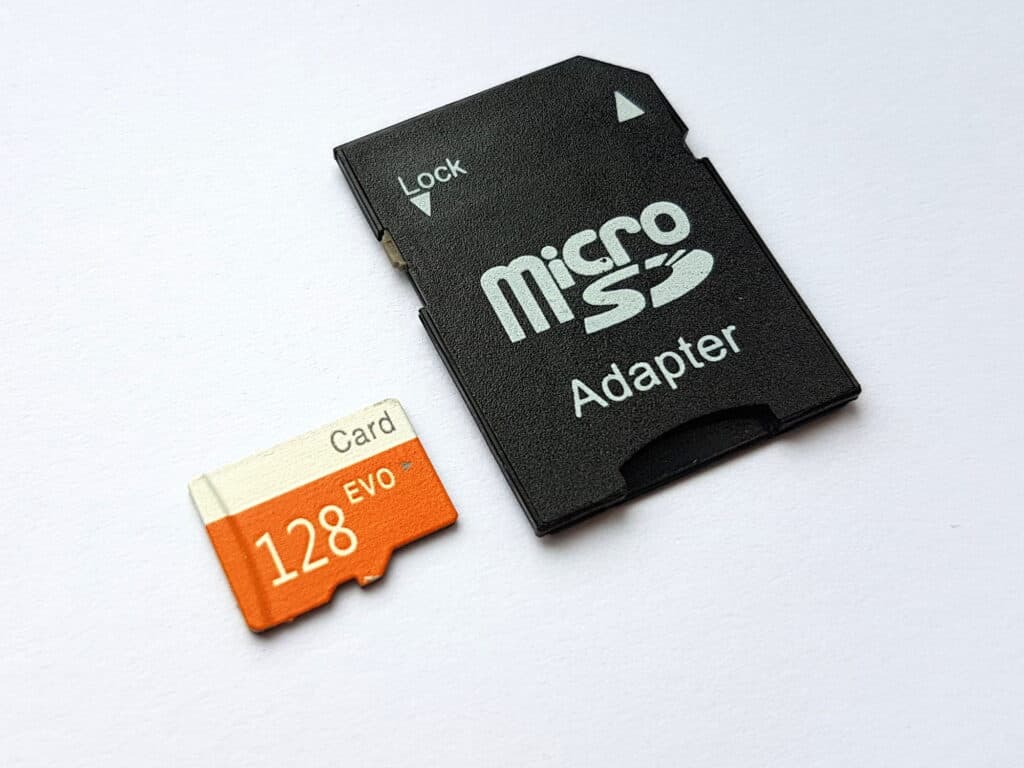
Fake SD cards are a persistent problem, posing a risk of data loss, especially as memory prices rise. Learn how to identify counterfeit cards and protect your files and money.
Fake SD cards have been a persistent problem for years, and as memory prices increase, Indian consumers might find themselves more susceptible to deals that are too good to be true. A PCWorld article from early 2026 noted that some SD card prices have doubled or more compared to 2025, according to Engadget.
While high prices are frustrating, the real risk with fake SD cards is losing valuable files or having them corrupted. Scammers can make it seem like a storage device has much more capacity than it actually does. Problems arise when you try to save files onto a card that simply does not have the advertised space, leading to data loss or overwrites.
Warning Signs Before You Buy
Experts point to several red flags that suggest an SD card might be counterfeit. The most obvious warning is a suspiciously cheap price. If a deal seems too good to be true, it probably is. It is crucial to remember that chip and memory shortages are driving up prices across the board for storage devices, including SD cards.
You should also be wary of SD cards sold by unauthorized third-party resellers on popular online platforms like Amazon or eBay. In India, this extends to other major e-commerce sites where third-party sellers operate. Stick to official brand stores or highly reputable sellers. Additionally, be cautious of unfamiliar brands, though even well-known brands can be counterfeited or mimicked.
Always inspect the packaging carefully. Look for missing labels, poor print quality, or a lack of warranty information. Some experts also advise staying away from refurbished cards altogether. For the best peace of mind, consider buying your SD card from a trusted physical retailer, where you can inspect the product before purchase and benefit from direct customer support if issues arise.
How to Test an SD Card You've Bought
If you have already bought an SD card and want to ensure its legitimacy before loading it with important files, there are several software tools available. These can help verify both the stated capacity and the performance of the card.
- H2testw (for Windows): This free, downloadable program was specifically developed to check the speed and memory of storage devices like SD cards and flash drives. After installation, you can plug in your device, select it within H2testw, and the program will report if the device is functioning correctly and if it has the advertised storage capacity.
- f3 (Flight Flash Fraud): An open-source program, f3 works by filling the device with pseudorandom data and then checking if it returns the same data on reading. Its website provides detailed instructions for use across different operating systems.
- CrystalDiskMark (Performance Check): Slow speeds can also indicate a fake SD card. A program like CrystalDiskMark can benchmark an SD card's performance. Reputable SD cards usually display a baseline number for read and write speeds on their packaging. Your test results should generally fall within that range.
Ultimately, when it comes to preserving your valuable photos, videos, or documents, taking a chance for the sake of saving a few rupees might not be worth the potential risk. Using these warning signs and testing methods can help you avoid disaster with your files.