External GPUs promise desktop-class graphics for laptops, but a recent Engadget report highlights significant performance limitations due to bandwidth constraints and considerable extra costs. Indian buyers should weigh these factors carefully.
External GPUs (eGPUs) have long been pitched as a way to bring powerful desktop-class graphics to an otherwise portable laptop. The idea is compelling: use your thin and light machine for daily tasks and travel, then plug it into a much more powerful GPU for demanding games or creative work when you get home. However, as a recent Engadget report explains, this setup comes with some serious caveats, especially concerning performance and overall value for money.
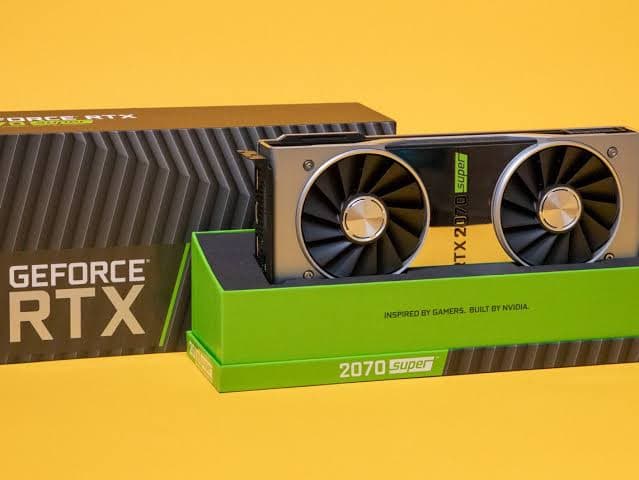
The core issue lies in how an eGPU connects to your laptop. Unlike an internal, dedicated laptop GPU which uses a direct internal PCIe connection, an eGPU typically communicates via Thunderbolt or USB4. This external connection creates a significant bandwidth bottleneck. While a desktop graphics card like NVIDIA's RTX 5090 boasts an impressive 21,760 CUDA cores, 32GB of GDDR7 memory, and a 575W total graphics power rating, its laptop counterpart, the RTX 5090 Laptop GPU, has substantially less raw hardware, with 10,496 CUDA cores, 24GB of GDDR7 memory, and a GPU subsystem power range of 95W-150W. The external connection further limits how much of that desktop power can actually be utilized.
Engadget points out that even modern Thunderbolt standards struggle to keep up. Thunderbolt 4 offers 40 Gbps of overall bandwidth, requiring 32 Gbps of PCIe data throughput. While Thunderbolt 5 upgrades this to a base speed of 80 Gbps and doubles the PCIe requirement to 64 Gbps, internal laptop GPUs can still leverage wider multi-lane PCIe connections, offering more headroom. There's also a Thunderbolt 5 Bandwidth Boost mode at 120 Gbps, but Intel confirms that PCIe data throughput for the GPU remains capped at 64 Gbps. This means a powerful desktop card's massive memory bandwidth (e.g., 1,792GB/s for the desktop RTX 5090 versus 896GB/s for the laptop version) can't be fully exploited.
Another often overlooked performance penalty can occur if you use your laptop's built-in display with an eGPU. Rendered frames might have to travel back through that same limited external connection, further impacting performance. This is why some brands suggest connecting an external monitor directly to the eGPU for potentially better results. There isn't a universal percentage for performance loss, as it varies significantly based on the specific GPU, laptop, connection type, resolution, and the game or application being used.
Beyond Performance: Cost and Portability Considerations
For Indian buyers, the practicalities extend beyond just raw performance. An eGPU setup sacrifices the very portability that makes laptops appealing. You'll end up with an enclosure, a desktop GPU, and possibly even an ATX power supply on your desk, adding considerable size and noise. The idea of a 'portable' desktop-class gaming setup becomes more of a suggestion than a reality.
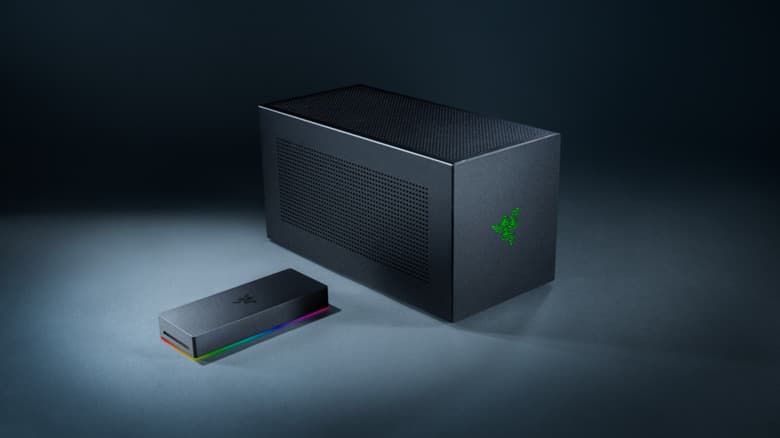
Then there's the cost. Engadget cited Razer's Thunderbolt 5 Core X V2 enclosure as an example, which supports full-size NVIDIA and AMD desktop cards. This enclosure, which includes its own cooling fan, costs approximately $350. Converted to Indian Rupees, that's roughly ₹29,000 (at current exchange rates), and that's just for the enclosure. You still need to buy a high-end desktop graphics card, which can easily run into five figures, and potentially an ATX power supply to keep it all running. This can quickly add up to a significant investment, making the math difficult to justify.
Honestly, purchasing a high-end desktop card specifically for an eGPU makes less financial sense when you consider the performance bottlenecks. You're paying for peak power that the external connection might prevent you from fully utilizing. The value proposition only gets friendlier if you already have a suitable, powerful GPU lying around after a desktop upgrade. In that specific scenario, an eGPU enclosure could offer a meaningful performance boost to your laptop without the need to buy an entirely new computer. For most Indian consumers, however, the investment often outweighs the actual performance gains, especially when considering the compromises in portability and the overall cost.